 Bearly Fit
Goals on Home Screen
23rd Dec, 2025Today I continued to improve goals on the home screen.
It took a little whilst to get the UX and UI how I wanted it, I had a few main goals, I wanted to see:
- The start of the goal
- Where I was with the goal
- How far away the goal was
And I wanted the whole thing to be interactive so a user can easily swipe and see the whole journey.
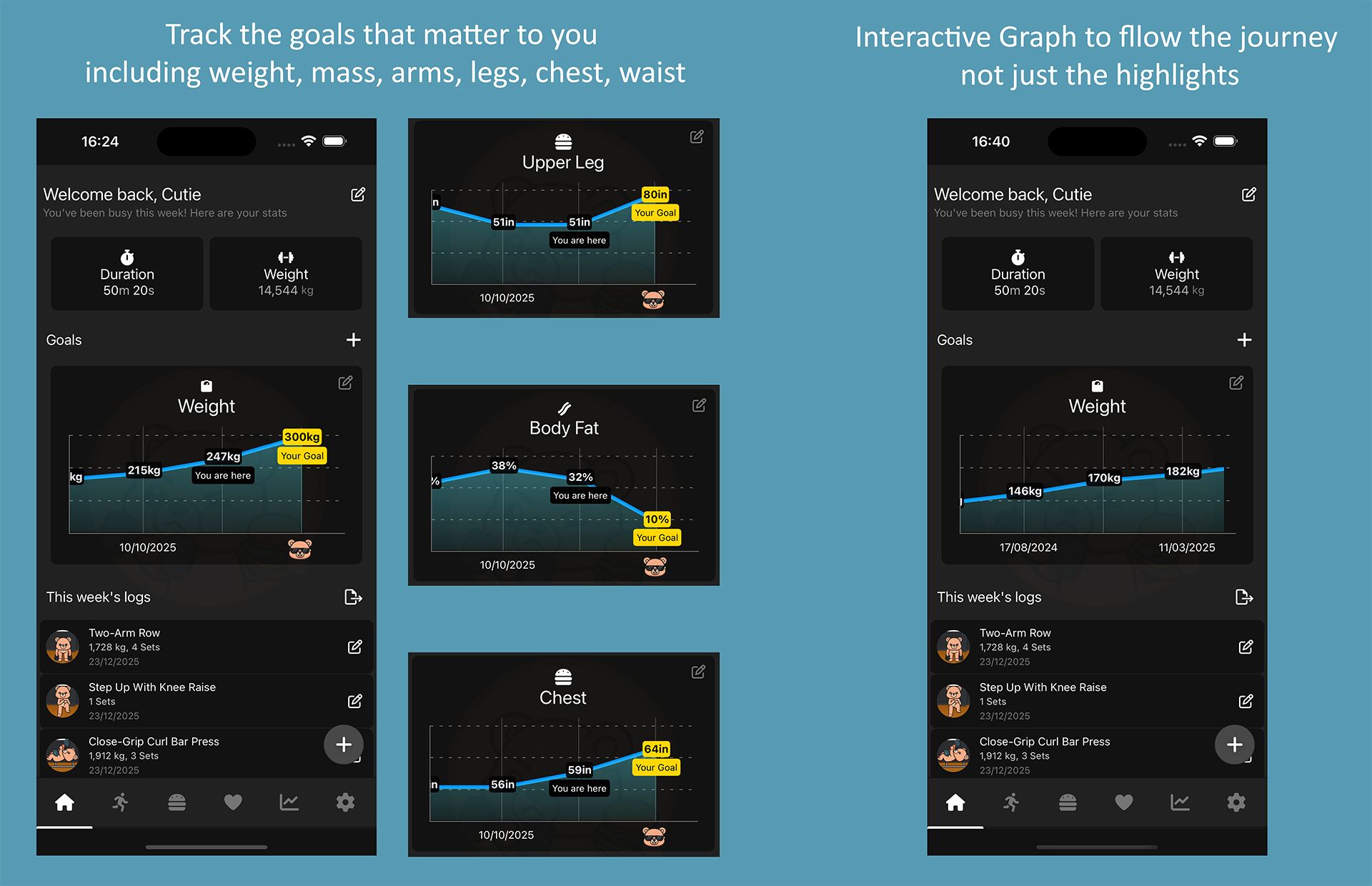
Based on the information they put in, it will show:
- The starting point
- Up to 10 points along the journey
- The current point
- The goal they're aiming for
Although I am only showing 10 points, they're spread evenly across all of the data. So if you have data going back to 2023 - it will show 10 intervals from 2023 to 2025, including your current progress.
This was mainly because I didn't want to bog down the UI with too much information, when someone can get a full picture in the reports area.
The homescreen is just meant to be "at a glance"
There's a bit more I want to do in the Goals area, especially around the Goal creation UI (it's very janky).
But... I'm going to hold off for a future release and focus on cleaning up loose ends now.
Thanks for reading my Dev Log :)
More like this

Testing Database Migrations
Aug 15, 2026How I test Bearly Fit's on-device database migrations - seeded databases, restoring previous backups and verifying them from a custom React Native debug menu.
Read moreFood Photos in the Log View
Aug 03, 2026Final touches to the Bearly Fit food UI - food images in the log view, an info button, and a richer barcode scanning screen with Nova, Nutriscore and Ecoscore grades.
Read moreSmarter Food Search
Jul 28, 2026Making it easier to find food in Bearly Fit's growing database with meal-period presets, smart defaults based on the time of day, and Most Recent and All Food filters.
Read more