 Bearly Fit
Off to See the Wizard
26th Mar, 2026Today - on "James is unemployed"...
I've been mostly working on the Bearly Fit workout plan creator.
The app has about 400+ built in exercises (and another 400~ to come), and each exercise has a bunch of metadata attached to it:
- Experience level
- Type
- Muscles targeted
- Equipment available
- Force used
- Primary Mechanic
Which means there's no real reason we can't generate basic workout plans inside the app. You tell it roughly what you want and it picks the exercises for you.
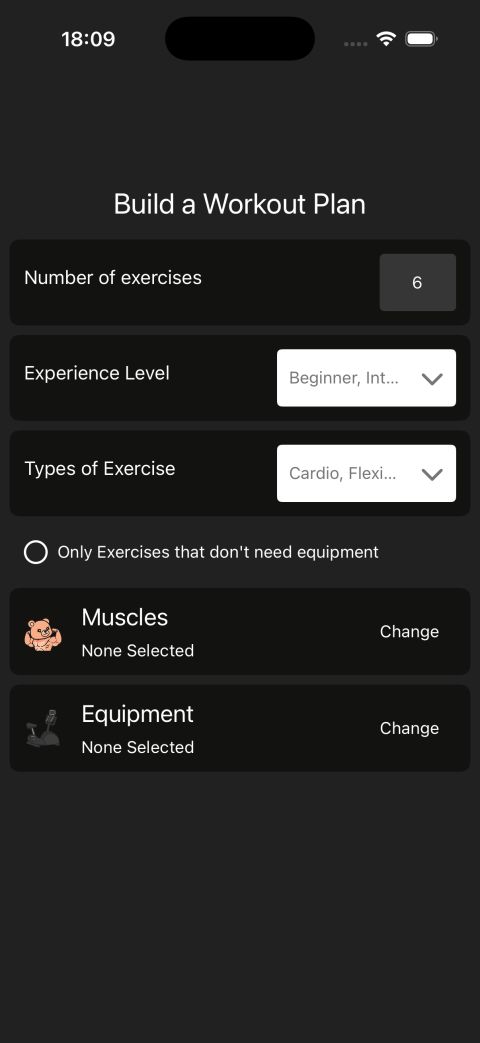
Equipment, experience level, type - those are all easy. You either own a barbell or you don't. You're either a beginner or you aren't.
But not everyone knows what each muscle or muscle group is called.
So today I've been trying a few different UIs and UX flows to get a good balance between usability and practicality.
With the initial UI you don't need to know anything about muscles at all. All you do is press the part of your body you want to target.
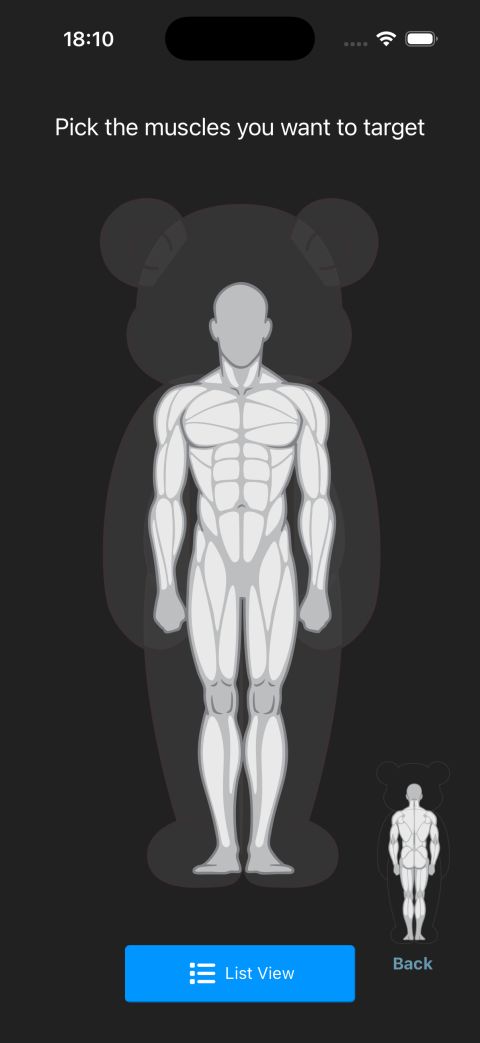
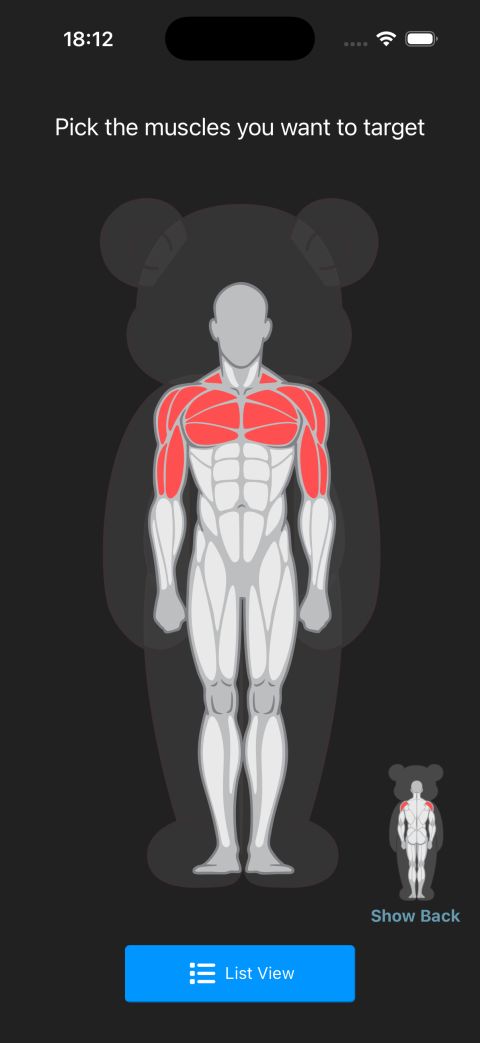
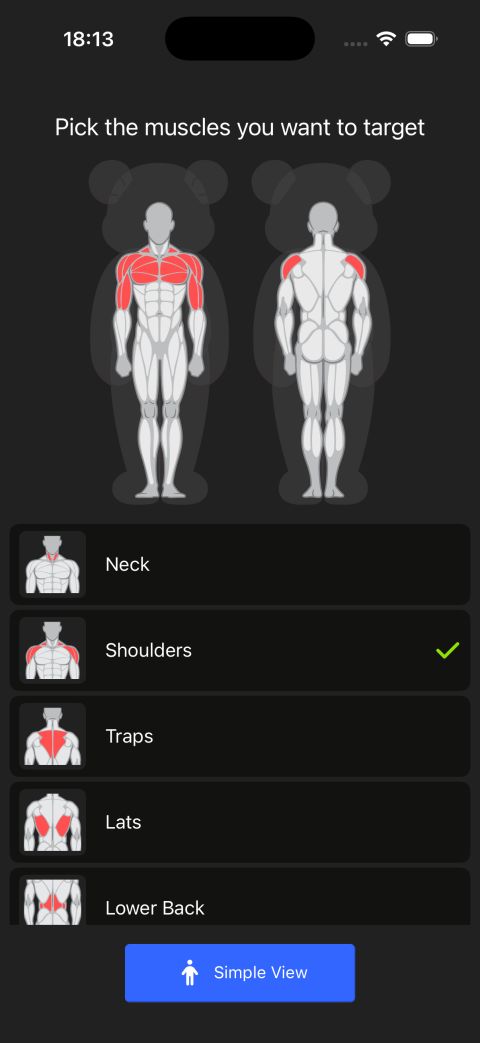
That's lovely in theory, but it isn't very accessible and it won't work nicely on all phones - so I've created a list view too.
The list shows a preview of the muscle next to each item, and when you select one it also lights up on the full body diagrams at the top. Best of both worlds - you can poke at the body if you know what you're after, or scroll a labelled list if you don't.
Still quite a lot of work to do on the wizard and UI, but wanted to share :)
Thanks for reading.
More like this

Testing Database Migrations
Aug 15, 2026How I test Bearly Fit's on-device database migrations - seeded databases, restoring previous backups and verifying them from a custom React Native debug menu.
Read moreFood Photos in the Log View
Aug 03, 2026Final touches to the Bearly Fit food UI - food images in the log view, an info button, and a richer barcode scanning screen with Nova, Nutriscore and Ecoscore grades.
Read moreSmarter Food Search
Jul 28, 2026Making it easier to find food in Bearly Fit's growing database with meal-period presets, smart defaults based on the time of day, and Most Recent and All Food filters.
Read more